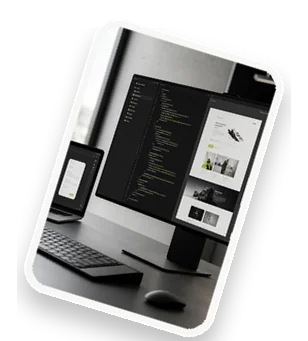
An admin panel is a backend interface that allows website or application administrators to manage content, users, and settings without touching code. It's the control center for your digital product—whether you run a blog, an e-commerce store, or a SaaS platform. A well-built admin panel saves time, reduces errors, and empowers your team to focus on growth. In this guide, we explore what makes an admin panel clear, fast, and manageable, and how modern development practices can deliver a solution tailored to your business.
What is an Admin Panel in Web Development?
An admin panel, also known as a dashboard or backend, is a secure interface that lets authorized users manage the core functions of a website or application. Its primary purpose is to separate the public-facing site from the administrative operations, enabling non-technical staff to update content, monitor performance, and handle user requests. Common examples include content management systems (CMS) like WordPress, e-commerce backends like Shopify, and custom dashboards for SaaS platforms. In web development, admin panels are built using server-side languages and frameworks, with a focus on usability, security, and scalability. They typically include features such as login authentication, data tables, forms, and analytics. A clear admin panel reduces training time and operational overhead, making it essential for businesses that want to maintain control over their digital assets.
Key Features of a Manageable Admin Panel
A manageable admin panel is intuitive and efficient. Key features include a user-friendly interface with clear navigation menus, breadcrumbs, and consistent button placement. Role-based access control (RBAC) ensures that different users—like editors, managers, and admins—see only what they need, improving security and workflow. CRUD operations (Create, Read, Update, Delete) are the backbone of data management, allowing users to add, edit, view, and remove records effortlessly. Other must-haves are search functionality, bulk actions, and export options. A manageable panel also provides clear feedback through success messages, error alerts, and confirmation dialogs. When these features are well-implemented, your team can work faster and with fewer mistakes, directly impacting productivity and user satisfaction.
Fast Admin Panel Development with Modern Frameworks
Modern frameworks accelerate admin panel development without sacrificing quality. Laravel (PHP) offers built-in authentication, ORM, and admin packages like Nova or Voyager. Django (Python) provides a powerful admin interface out of the box. For JavaScript-heavy stacks, React Admin or Vue Admin enable rapid prototyping with reusable components. Rapid prototyping using boilerplates and starter kits cuts development time from weeks to days. API-driven development further speeds things up by separating frontend and backend, allowing parallel work. By leveraging these tools, you can launch a functional admin panel quickly and iterate based on real user feedback. Speed doesn't mean cutting corners—modern frameworks enforce best practices and security standards from the start.
Best Practices for Clear and Intuitive Design
Clarity in admin panel design reduces cognitive load and errors. Use a consistent layout with a fixed sidebar, top header, and content area. Typography should be legible, with a clear hierarchy for headings and body text. The dashboard should display key metrics—like user count, recent orders, or system health—at a glance. Search and filter functionality is critical for large datasets; implement auto-suggest, date range filters, and saved searches. Tables should support sorting, pagination, and inline editing. Use whitespace and color coding (e.g., green for active, red for errors) to guide attention. Every action should have an undo option or confirmation step. By prioritizing design, you make the admin panel a tool your team enjoys using, which boosts efficiency and data accuracy.
Performance Optimization for Admin Panels
Admin panels often handle large amounts of data, so performance is crucial. Start with database query optimization: use indexes, avoid N+1 queries, and select only needed columns. Implement caching strategies like Redis or Memcached for frequently accessed data (e.g., user lists, config settings). For the frontend, apply lazy loading for images and components, and code splitting to reduce initial load time. Use pagination or infinite scroll for large datasets. Minimize HTTP requests by bundling CSS and JS files. Monitor performance with tools like Lighthouse or New Relic. A fast admin panel means less waiting for your team, leading to higher productivity and a better user experience. Even small optimizations can have a big impact when multiplied across daily use.
Security Considerations in Admin Panel Development
Security is non-negotiable for admin panels. Start with robust authentication—use multi-factor authentication (MFA) and strong password policies. Authorization via RBAC ensures users only access permitted features. Data validation and sanitization prevent injection attacks; always use parameterized queries for databases. Protect against CSRF (Cross-Site Request Forgery) with tokens, and XSS (Cross-Site Scripting) by escaping output. Use HTTPS everywhere, and log all admin actions for audit trails. Regularly update dependencies and perform security scans. A breach in the admin panel can compromise the entire system, so invest in security from day one. Remember, a secure admin panel protects not just your data but also your customers' trust.
Scalability: Growing Your Admin Panel with Your Business
As your business grows, your admin panel must handle increased users, data, and features. Adopt a modular architecture where each feature (e.g., users, orders, reports) is a separate module. Choose between microservices and monolithic based on your team size and expected load; microservices offer flexibility but add complexity. Use a database that scales—SQL with replication or NoSQL like MongoDB for high-write workloads. Implement horizontal scaling by adding more servers. Use message queues (e.g., RabbitMQ) for background tasks like email notifications. Plan for future growth by writing clean, documented code and using version control. A scalable admin panel adapts to your needs without requiring a complete rewrite, saving time and money in the long run.
Choosing the Right Technology Stack
The technology stack for your admin panel depends on your team's expertise, project requirements, and long-term goals. For the frontend, popular choices are React, Vue, or Angular—they offer component-based architectures and rich ecosystems. For the backend, Node.js, Python (Django/Flask), and PHP (Laravel) are reliable options, each with strong community support. Database choice matters: SQL (PostgreSQL, MySQL) for structured data and complex queries, NoSQL (MongoDB) for flexible schemas and high scalability. If you need real-time features, consider WebSockets. Cloud platforms like AWS, Google Cloud, or Azure provide hosting, storage, and scaling services. Don't over-engineer—pick a stack that balances performance, developer productivity, and maintainability. A well-chosen stack ensures your admin panel remains fast, secure, and easy to update.
Get Started with Your Admin Panel Today
Ready to build a clear, fast, and manageable admin panel for your business? At Devantum, we specialize in custom web development tailored to your unique needs. Our team uses modern frameworks and best practices to deliver admin panels that are intuitive, secure, and scalable. Whether you need a simple dashboard or a complex enterprise backend, we can help. Contact us for a free consultation to discuss your project. We'll create a prototype in days, not weeks, so you can start managing your data efficiently. Don't let a clunky backend slow you down—get in touch with Devantum today and take control of your digital operations.